The quick answer
Start with YouTube Kids if its content choices and session timer already solve your problem. Consider KidsTube on iPhone or iPad if you want a finite Home feed, channel approval and per-child viewing windows or daily and session limits in one player.
If you need to handpick individual videos, check that requirement first. KidsTube centres on approved channels. This is a comparison by KidsTube’s creator, based on public documentation and the released app, not an independent device-testing roundup.
The differences that matter
| Decision | YouTube Kids | KidsTube |
|---|---|---|
| What you approve | Videos, channels or collections in approved-content mode. | Channels in Strict mode; Flexible mode also allows filtered search. |
| Stopping point | A session timer is available. | Finite Home feed; watch windows with budgets, or daily and session limits with breaks. |
| Profile setup | Parent sign-in for child profiles. | No KidsTube account; profiles and settings stay on the device. |
| Cost model | Available free with advertising; paid options may differ. | Three-day trial, then a weekly or yearly subscription. |
| Where to start | Google’s app and account controls. | iPhone or iPad with iOS/iPadOS 17 or later. |
Sources: Google’s content controls, timer, profiles and parent information; the KidsTube App Store listing. Checked 26 October 2026. Prices and availability can vary by region.
When staying with YouTube Kids makes sense
Keep the setup you already have if you can select the material you want, the child can find it without difficulty, and the ending works for your routine. Changing apps adds a new setup and another interface to explain. It should solve a gap you can name.
Individual-video selection is a good reason to examine the approved-content workflow closely. For a parent who wants three particular craft tutorials rather than a creator’s whole channel, that difference can matter more than the look of the Home screen.
Also write down every place your child watches. A decision made for an iPad does not automatically resolve television viewing. Choose and check the appropriate setup for each device before moving the family’s usual routine.
When KidsTube may fit better
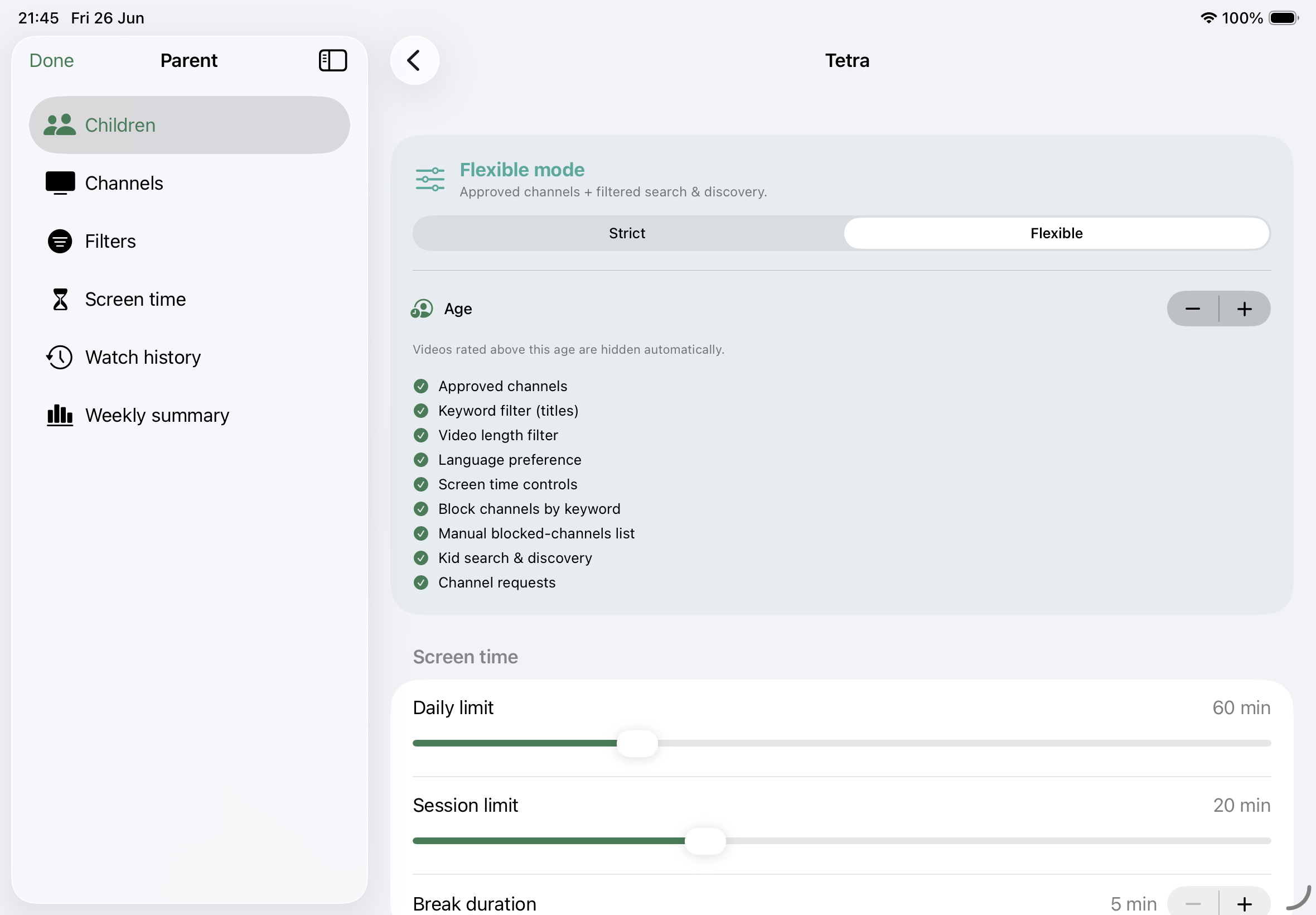
KidsTube is built around a smaller set of choices on a finite Home feed. Parents choose the feed size, approve channels, adjust content preferences and configure time limits for each child. Strict mode keeps viewing within approved channels; Flexible mode adds filtered search.
Its released version supports watch windows with separate budgets, or daily limits with session limits and breaks. That makes it worth trying when “a little after school” needs a defined period and budget, or when a daily allowance needs breaks between sittings.
The parent area is PIN-protected and includes watch history and screen-time summaries. These are tools for reviewing a routine, not a guarantee that every video is suitable. Automated filters support your choices and supervision.
Use the channel-selection guide and viewing-time guide to turn those features into a concrete setup. Product details here describe public version 1.3.
Privacy, playback and costs
KidsTube does not require a KidsTube account or add analytics and tracking. Child profiles, settings and watch history stay on the device, with history deleted after 30 days. Public video metadata travels through our YouTube API proxy, and playback uses YouTube’s embedded player. YouTube’s own data practices and advertising may apply. Read the KidsTube privacy policy.
Do not choose KidsTube on the assumption that every video is ad-free. It is not an ad blocker or a separate video hosting service. Content availability and playback still depend on YouTube.
The trial lasts three days; a weekly or yearly subscription is required afterwards. Check local pricing and renewal terms in the app before purchase. There is no reason to quote a single worldwide price when families may see different offers.
Google explains the advertising that supports the free YouTube Kids service in its parent information. Compare the actual experience you need rather than assuming that “free,” “paid” or “for kids” answers every privacy and playback question.
A practical way to compare them
Choose one ordinary viewing situation, such as a shared tablet after school. Write the same short brief for both setups: which creators or videos should be available, whether searching is allowed, and when watching ends.
- Prepare the library. Note whether the tool lets you choose at the level you want: individual videos or whole channels.
- Use the child’s view. Look at how many decisions appear and whether your child can find the intended material.
- Try the endpoint. Use a short temporary limit and check the end screen and restart behaviour.
- Check the maintenance. Make one channel change and one time adjustment. Decide whether this is a routine you can sustain.
- Check the other routes. Look at the browser, regular YouTube and other devices before drawing a conclusion.
You can do this review yourself before involving your child. These are suggested comparison steps; no comparative outcome or enforcement result is claimed here.
If the existing setup works, keep it. If KidsTube solves a particular problem during the trial, decide whether that benefit is worth the subscription for your family. You do not need to change every device or routine at once.
Common questions
Is KidsTube made by YouTube or Google?
No. KidsTube is independently developed by Groei BV and is not affiliated with or endorsed by YouTube or Google.
Is KidsTube a free YouTube Kids alternative?
It has a three-day trial. Continued use requires a weekly or yearly subscription. Check the app for local prices and renewal terms.
Does KidsTube replace device-wide parental controls?
No. It controls the experience inside KidsTube. Other apps, browsers, profiles and televisions need their own review.
Can either app guarantee every video is suitable?
No automated filter or library setup replaces your judgement about your child. Review what you approve and keep a clear way for the child to tell you about something unexpected.
A calmer place to choose
Try a finite feed for your family.
Choose channels and viewing limits for each child on iPhone or iPad.
View KidsTube on the App Store ↗3-day trial, then a subscription. iOS/iPadOS 17+. YouTube advertising may apply to playback. Privacy · Terms.