Parent controls for YouTube
Choose YouTube channels for each child, set content filters, and decide when it is time to stop. KidsTube brings those choices together in a calm, finite feed on iPhone and iPad.
3-day trial. A subscription is required afterwards. For iOS and iPadOS 17 or later.
Privacy Policy · Terms of Use · Support
Choose a guide for the question you have today. Start with the controls you already use, then decide whether KidsTube fits your family.
Set up YouTube Kids parental controls with a clear plan for content, search and viewing time. Understand what each setting changes and what to check.
Build a parent-approved YouTube library: choose videos or channels in YouTube Kids, understand KidsTube Strict mode, and check the child’s viewing routes.
Choose a session timer, daily allowance or viewing window for YouTube on iPhone and iPad, then test the ending and other routes your child can use.
Compare YouTube Kids and KidsTube for parent-approved content, viewing limits, privacy and cost. See when the built-in option is enough and when to switch.
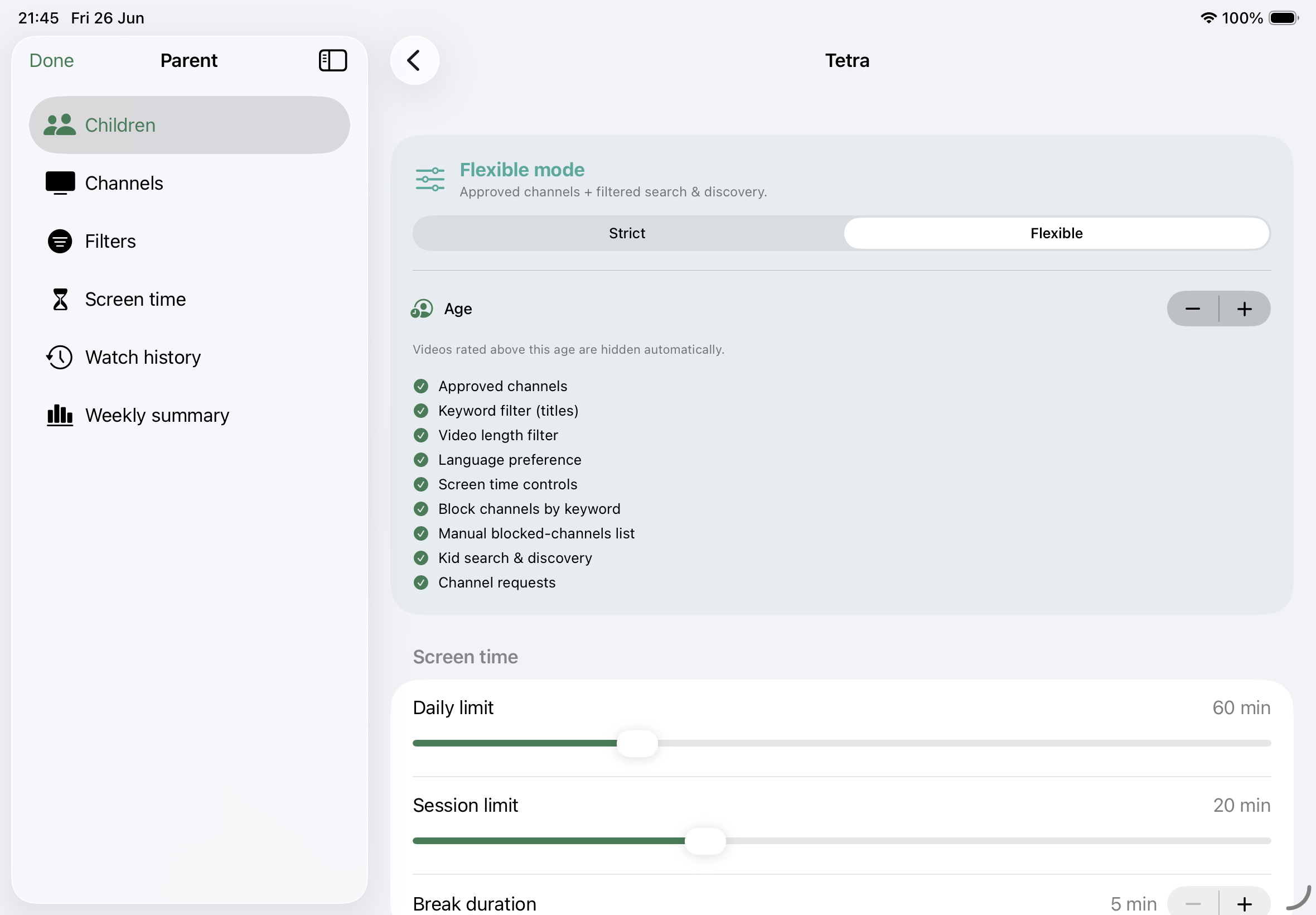
Create separate child profiles and choose their channels. Strict mode limits viewing to approved channels; Flexible mode adds search shaped by your filters.
A finite selection of videos gives watching a natural stopping point, without an endless home feed.
Set age preferences, blocked keywords, video-length limits, and language preferences. These automated filters support parental supervision; they cannot guarantee every video is suitable.
Set daily and session limits, breaks between sessions, and allowed viewing hours to fit your family’s routine.
Keep channel management, parental settings, and purchases behind a PIN gate.
Review watch history and screen-time summaries in the parent dashboard. Watch history is automatically deleted after 30 days.
No KidsTube account, analytics, or tracking. Profiles, parental settings, and watch history stay on the device. YouTube supplies video metadata and playback through its API services and embedded player.
Start with a 3-day trial, then choose a weekly or yearly subscription in the app. Prices and renewal terms are shown before purchase; all purchases are behind the parent PIN.
KidsTube is independently developed by Groei BV and is not affiliated with or endorsed by YouTube or Google. Videos are hosted and played by YouTube.